From a reminder to a recorded check-in.
A reminder on your phone. A QR code at your medicine. A record you can come back to. Pesky does the reminding; you scan when you’re done.
Start with what you have.
Set your dose times.
In the iOS app, choose when each dose is due to fit your prescribed routine, and rename it if you like, in Settings → Dose times. Reminders follow your phone’s time zone.
Print and place your codes.
Use Print QR codes in the app. Put each personalized code under its matching compartment lid in your weekly organizer.
Scan when you take your dose.
Tap Scan QR code on Today and scan the matching code. The app records your check-in and updates today’s status.
Find your way around the app.
Real screenshots of the iOS app, from the simulator with a sample household.
 View full-size screenshot
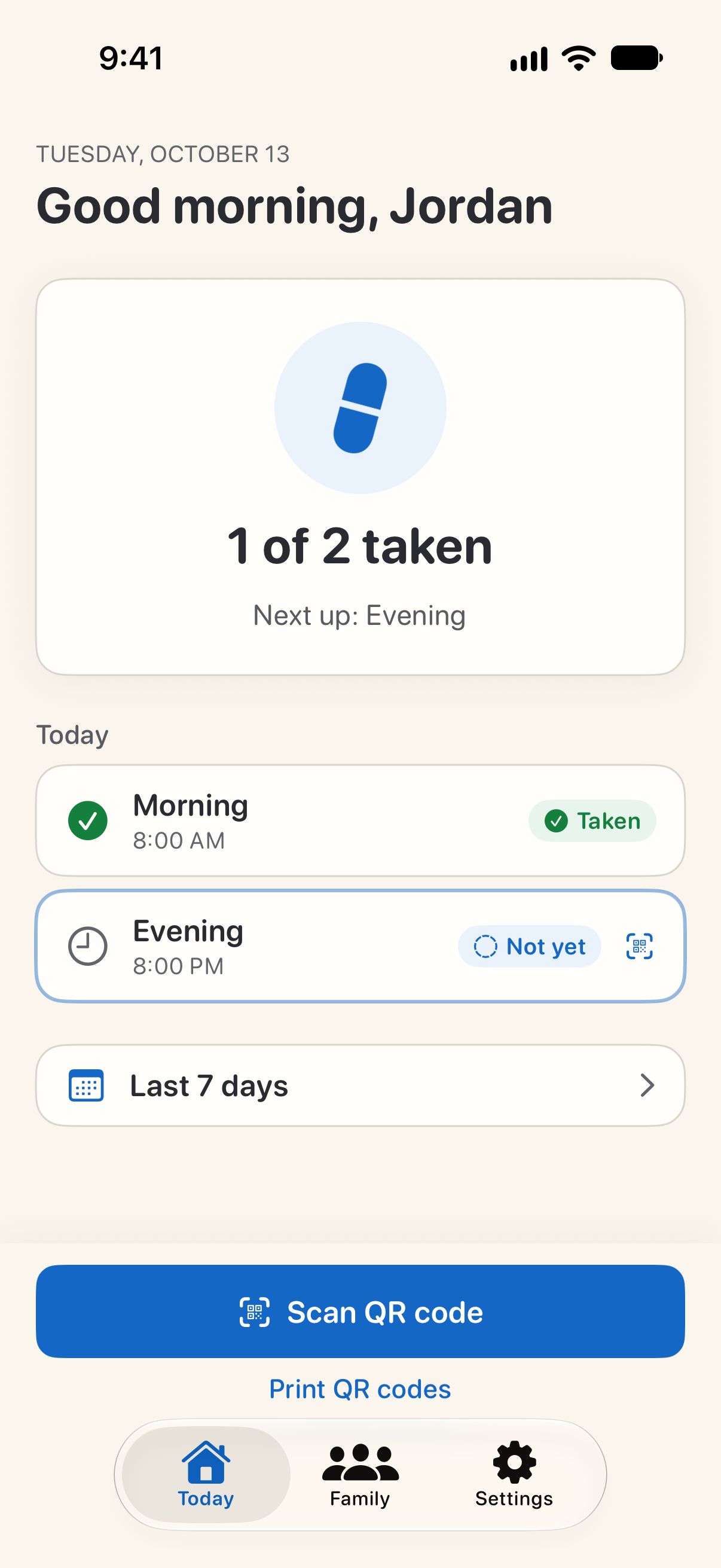
See today at a glance.
Today shows each of today's doses and which ones have been confirmed with a scan. Tap Scan QR code to record one.
 View full-size screenshot
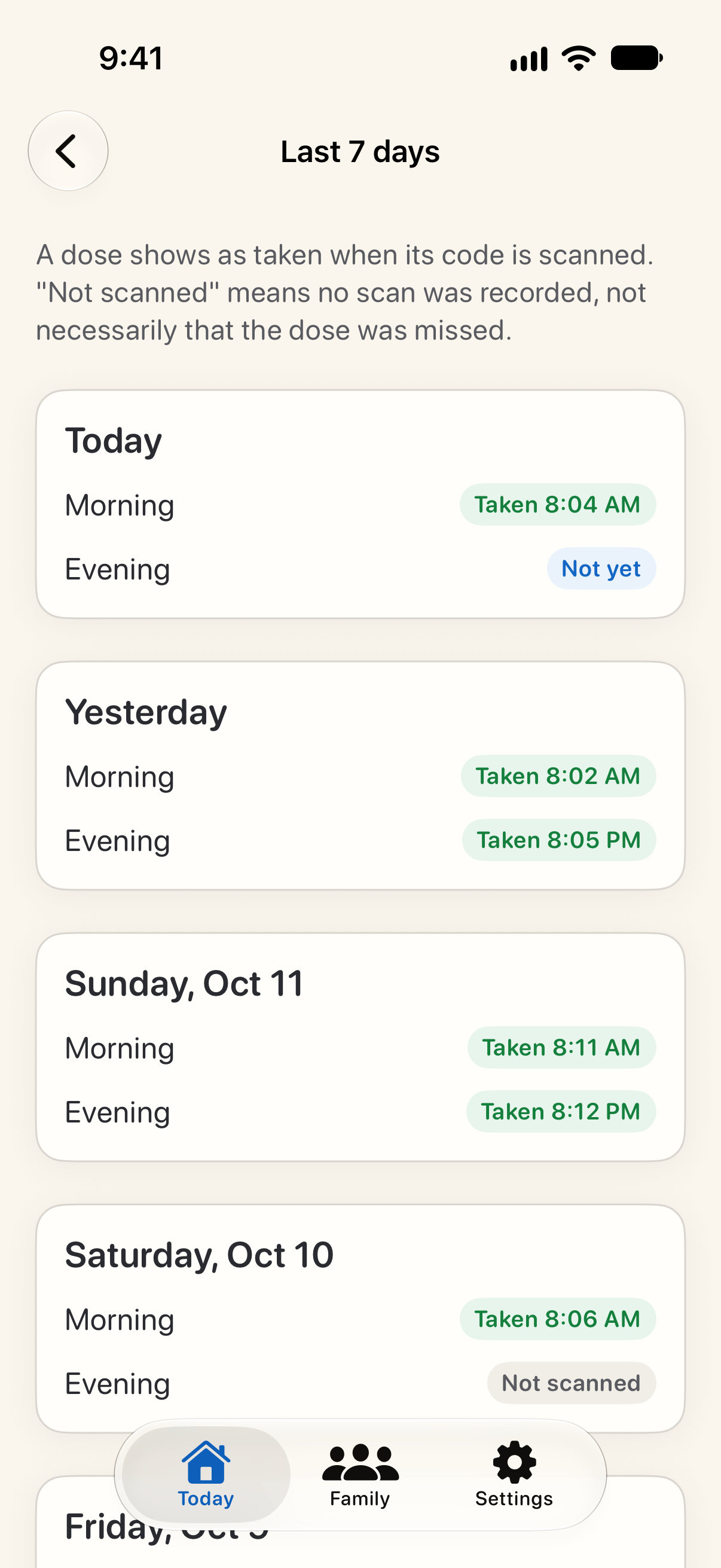
Look back over the week.
Last 7 days shows when each dose was scanned. “Not scanned” means no scan was recorded, not necessarily a missed dose.
 View full-size screenshot
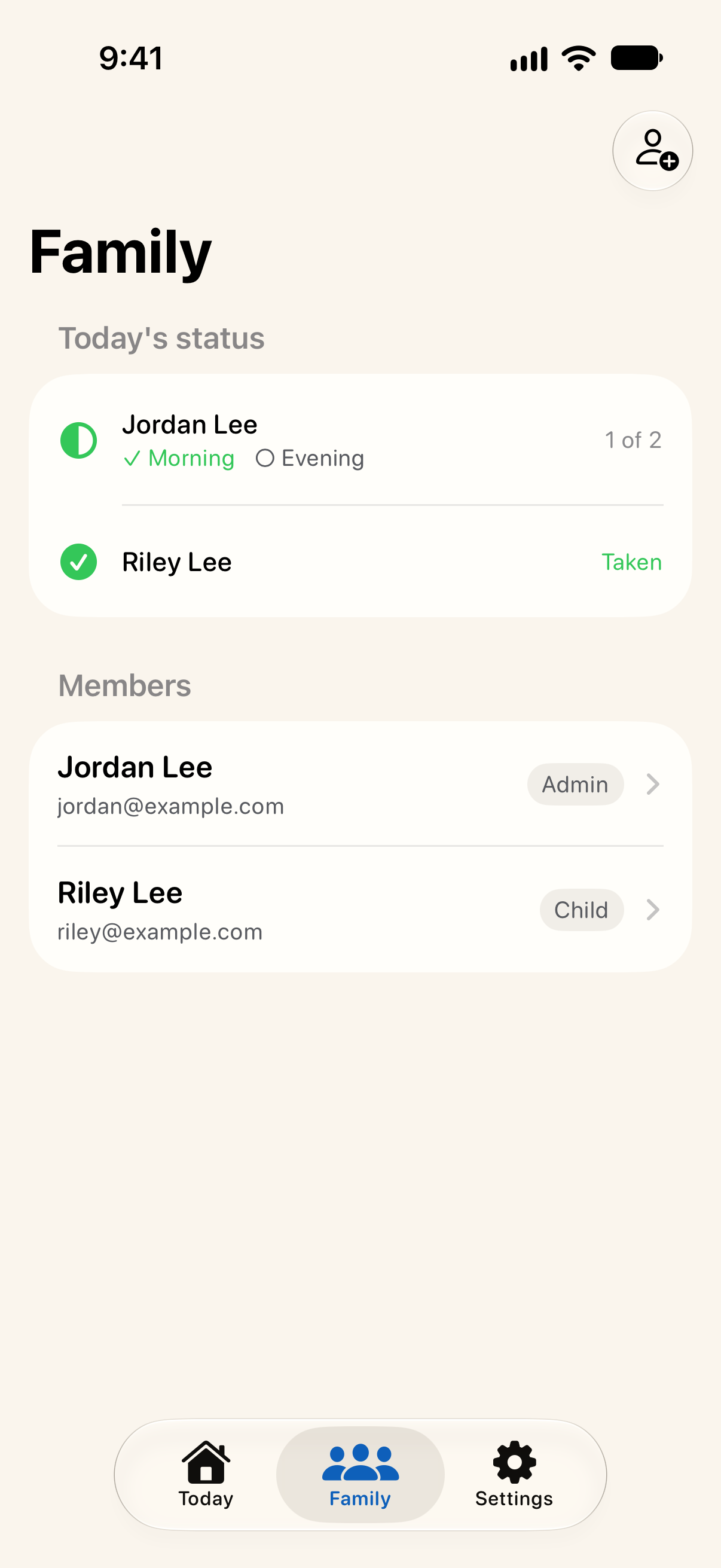
See how the household is doing.
Family admins see which of each member’s doses today have been scanned, and manage everyone’s medications and dose times.
It doesn’t stop at one notification.
Your phone reminds you at each dose time, and keeps reminding until the dose is scanned.
The beta also includes optional automated call reminders if a scheduled dose remains unconfirmed. Calls require explicit consent and a verified phone number.
Once a dose is 10 minutes late, Pesky calls every 10 minutes until you scan it, at any hour. Calls about that dose stop at your next dose time, or at midnight. Calls never mention medication; they ask you to scan your organizer. A matching recorded scan stops future reminder actions for that dose. Reliability testing continues in our closed beta.
You stay in control.
Explore phone-call reminders ↗Reminders keep medication names private by default. To include names, choose Detailed in Settings (Notification privacy). Push notifications can also appear while the app is open.
- Choose whether to enable phone-call reminders.
- Turn calls off any time; anyone who manages you in Pesky Pill is told. To hold all reminders, ask, and they approve.
- Review today’s recorded status without relying on memory alone.
- Delivery depends on permissions, connectivity, and service availability.
Pesky Pill records scans. It cannot guarantee that medication was taken or prevent every missed or duplicate dose. Follow your clinician’s and pharmacist’s instructions. Read the usage information.
Open. Scan. Get on with your day.
Our invitation-only closed beta has started on iPhone and Android, with small groups first.
Closed beta · By invitation